Two Casios, One Keyboard ...and an Arduino sequencer.
update august 2026
I've always wanted to try making sounds using two MT-240s.
In February 2026 I played a show at the Firehouse that tested the idea with two Casios, and I thought it sounded really good. The problem was that it was so much to carry- two synths, two keyboards, two circuit-bent rigs... it needed to get a lot smaller, and I really wanted to somehow integrate the two into a single system. Later in June-July, the work was done- and the solution ended up being a sequencer circuit, an Arduino, and a repurposed Yamaha DX7 keyboard.
Framerate of a synthesizer?
The MT240 does a thing called a "keyboard scan cycle", where it periodically scans its keyboard for any pressed keys. This generates a "frame" of notes (at a framerate of ~3ms), and that's how it knows what notes to synthesize. If we zoom in on a frame, we can see that it is divided into octaves. In fact, the MT240 sees the keyboard as nothing more than a table of notes and octaves. Octaves are columns, notes are rows.

A look into the keyboard scan cycle
The keyboard scan cycle works by sending a squarewave pulse into every octave in a timed sequence. It starts at octave 1, then progresses to octave 2 (after 130us), all the way to octave 5. If no keys are pressed- the pulse just terminates there. But if you're holding a key down, the pulse physically travels through the depressed key and is received back by the MT240. For example, let's hold down the single key G#3. The synth starts its cycle on octave/column 1. No keys pressed on that octave- no pulse detected on any rows. Same with column 2. Then on column 3, the MT240 knows "received pulse on row G# - column time is 3 - this note is G#3".
Arduino x MT240: can we hack it?
The MT240 doesn't really care who made the pulse- as long as it appears at the right place at the right time, it'll read as a specific note. Going back to the example- if we can inject our own pulse into the right row (G#) at the right column time (octave 3), then the MT240 will simply detect a specific note (G#3). We can break this into two challenges; 1. The Arduino needs to be synced to the MT240's unceasing scan cycle, 2. The Arduino needs to immediately output the correct shape squarewave to mimic the orginal scan pulse.
Syncing the Arduino to the MT240
We need to sync to the MT240's scan cycle in order to play notes on specific columns. Fortunately, the cycle is pretty deterministic, going through each octave sequentially at a regular pace. Using a hex schmitt trigger inverter, we can take six MT240 scan pulses and turn them into clean falling-edges. Then, the edges can trigger an interrupt on the Arduino. Since the pulse cycle is non-overlapping and sequential, it's easy to then create a column-follower state machine in the Arduino code.
Injecting notes into the MT240 from the Arduino
Now that we're synced, we just need to output our own pulse that mimics the original squarewave. The MT240 is old and works on 5.7V -ish logic, and the Arduino does 3.3V logic. So the npn-pnp circuit shown in the schematic brings the voltage to the right level. And we need twelve of these npn-pnp circuits, one for each note. Finally, in code, we can match the duration of our homemade pulse to match the MT240's original using the column-follower state machine.
The Code: An Arduino scan-follower pulse-injector state machine
What's in the code? The pulse-detection circuit triggers Arduino interrupts, one for every octave. The first interrupt launches the "on-cycle", where on every sequential interrupt, it instantly outputs pulses for the desired notes via the pulse-injector circuit. The whole cycle (~1.5ms) gets the MT240 to output one frame of notes. Then, the Arduino is in it's "off-cycle" (~3ms). This is when it renders (prepares) the next frame of notes. That's basically all it does. There's a few minor details, and an interesting one is that the MT240 has a debounce-off-time of 2 frames, so the shortest possible note is 4 frames (one to trigger on, one to trigger off, two for debounce.
How do we actually play notes?
Now that the Arduino can simulate key-presses on the MT240, we need a way to actually choose which notes to play. I decided to (kind of ironically) have the Arduino run it's own keyscan of an entirely separate keyboard, independent of the MT240. This detects user-played keyboard notes during the "off-cycle", and stores them in code as a 64-bit note mask. I accomplished this with a Yamaha DX7 keyboard, which I thought had nice feeling keys and I happened to have one for parts. Replacing a keyboard with another one may sound very silly, but because it's intercepted by the Arduino, this means we can manipulate notes in code before they hit the MT240.
A digital sequencer?
Notes stored in code also unlocks the capacity to pre-program notes to send to the MT240- a digital sequencer! This is close to what midi can do, but is faster and more precise due to the hardware sync. The image shows sequenced events in code- what note (0-60, C1-C6), how long in cycles, and simply whether its a "note-on" or "note-off" event.
Dual Casio MT-240s
Another very fun and cool but also somewhat silly result of this setup is that was possible to connect a second MT240. It was fairly easy- basically, the circuits were duplicated and the 64-bit frame of notes were sent to both Casios simultaneously. However, since both MT240 had scan cycles ascynchronous to one another, and the Arduino code was interrupt-based, the challenge was dealing with the edge case of both Casios triggering opposing interrupts. I couldn't think of a better solution than to have two Arduinos, where the primary would follow the first MT240 and render frames, and the secondary would receive frames and follow the second MT240. I think this is an okay compromise.
How to control the controller
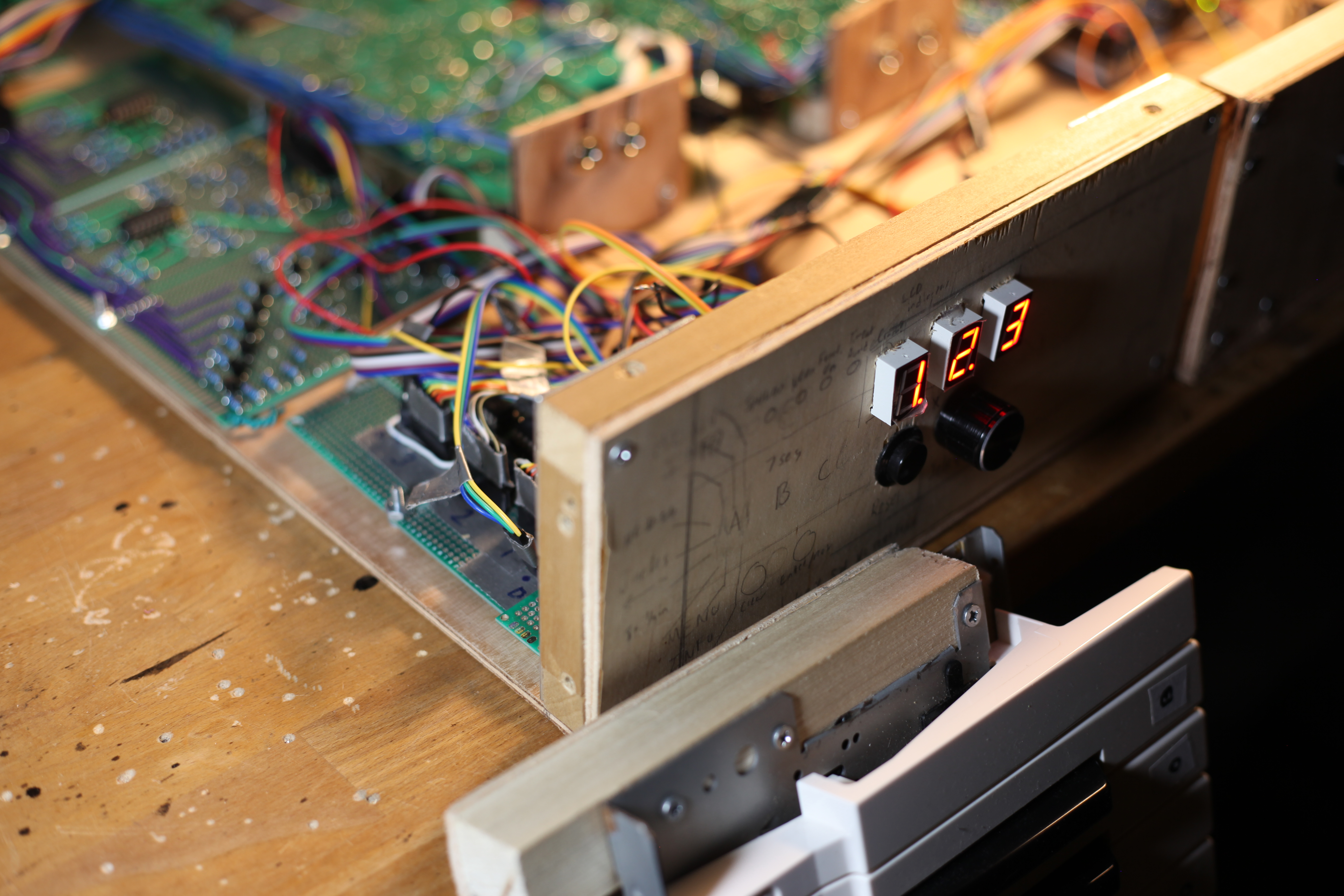
Lastly, we need a way to choose between different modes - keyboard, sequencer, one or two casios, etc. I ended up going with a little rotary dial and 7-segment display. Rotating the dial lets me activate a function corresponding to the number displayed. For example, 021 routes note frames to only Casio I, 022 to only Casio II, and 023 to both. This is alright, but feels a bit menu-divey. Maybe a better solution would be to have the keyboard itself be a controller...playing C#m9(#11) starts the "Moonlight Sonata".
Thanks for reading!
There were a bunch of details I kind of glossed over, so if you have any questions, feel free to ask me at bernhardtayang{at}gmail.com
-- cryptwarbler